MyDriveTime App with Johnny Auld Driving Instructor

MYDRIVETIME STUDENT APP

Getting Started

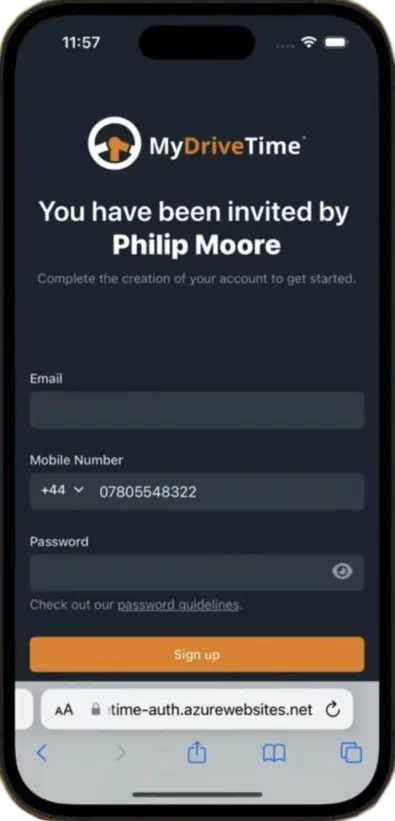
Getting started is quick and easy. You will receive a text message which will display my name and profile picture so you know the invite was from me. The link is valid for 24 hours, however, it’s best to download it when you get the invite.

Getting started with MyDriveTime Student App
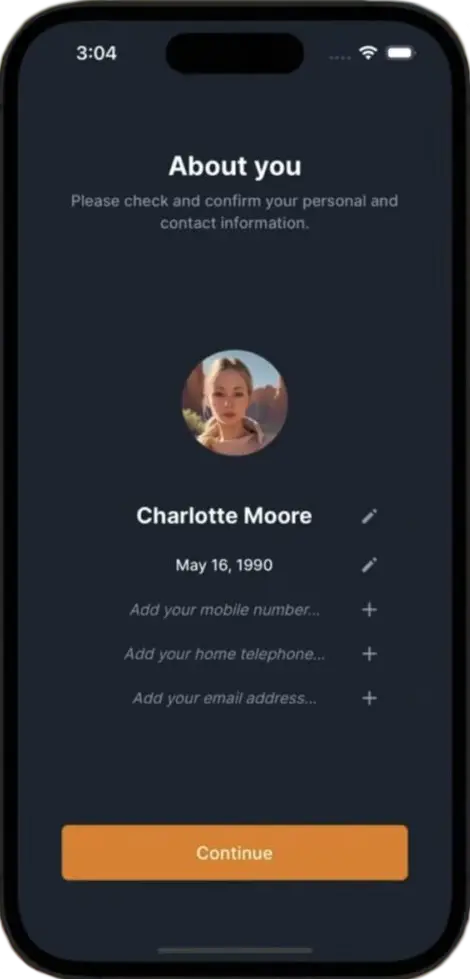
About You MyDriveTime App

About You

Once you’ve downloaded and logged in you will be taken through a short onboarding process where you can check and amend your personal information. From here you can also upload a profile picture if you wish. You will now be taken to your dashboard.

Your Dashboard

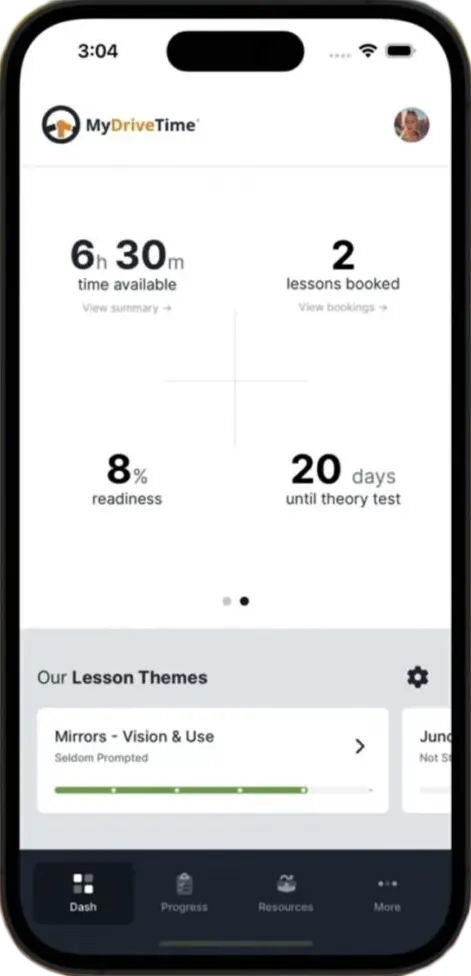
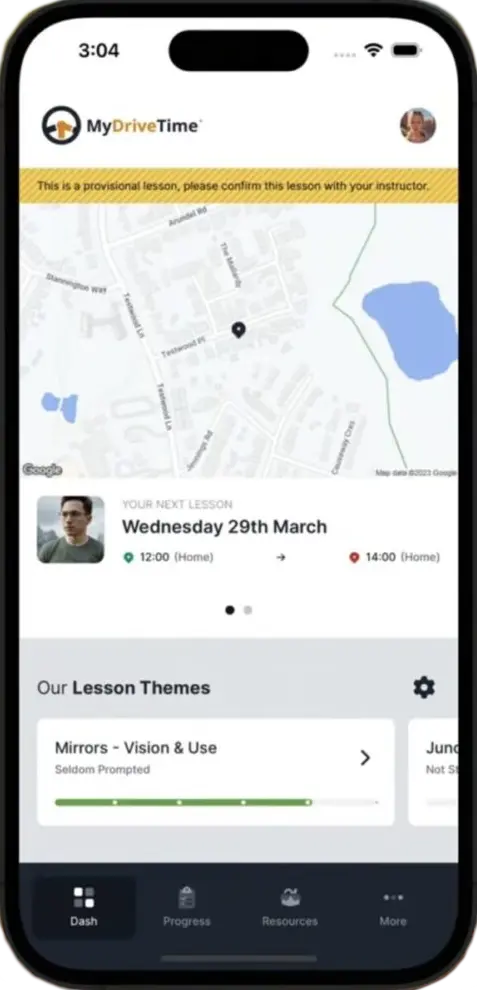
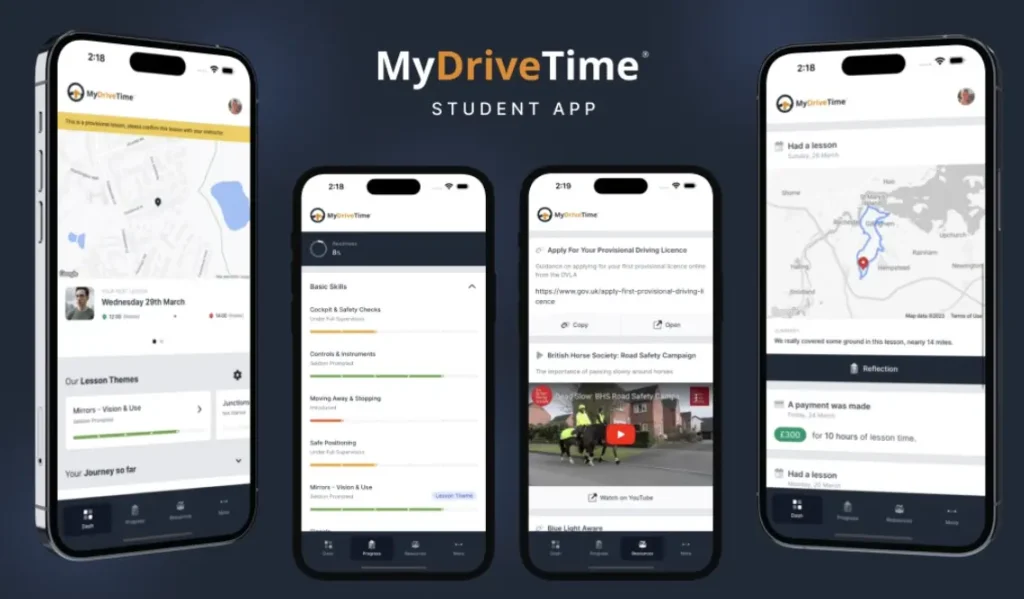
From the top section of your dashboard you can tap on your initials (top right corner) to view your profile. On the main upper section you can swipe left/right and this will show your next lesson, hours credited to your account, the number of lessons booked, your test readiness and any test that you have currently booked.

Your Dashboard - MyDriveTime App
Lessons

Your Dashboard cont…

Lesson Themes: This enables you to set your own lesson themes. By doing this it helps us to focus on a particular area of the training syllabus that you may want a little more practice in. For example: on your last lesson you may feel that you weren’t checking your mirrors enough, so you can set a lesson theme for Mirrors-Vision & Use and we can spend a bit of time going over this next lesson.

Your Journey So Far: This section has a drop down menu. From here you can check previous lessons, payment history, Theory and Practical Test bookings and also view the Terms & Conditions.

Your Progress

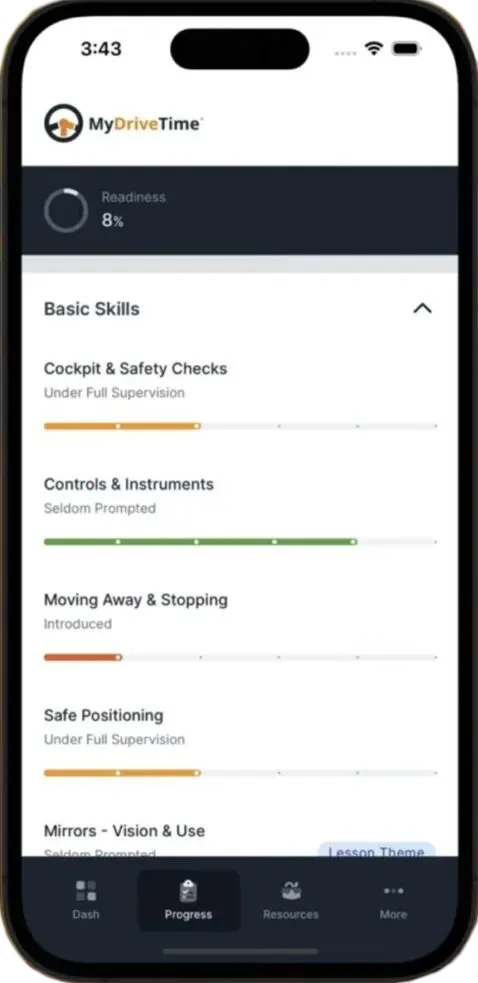
This will show your syllabus and how well you’re doing in each of the stages. Your syllabus will be updated after each lesson based on a sliding scale towards you becoming an independent driver.

You can use the drop down menu for each skill, which will let you track your progress in each of the different areas. You will also be able to see here which one’s have been set to lesson themes.

Your Progress
Reflective Logs

Reflective Logs

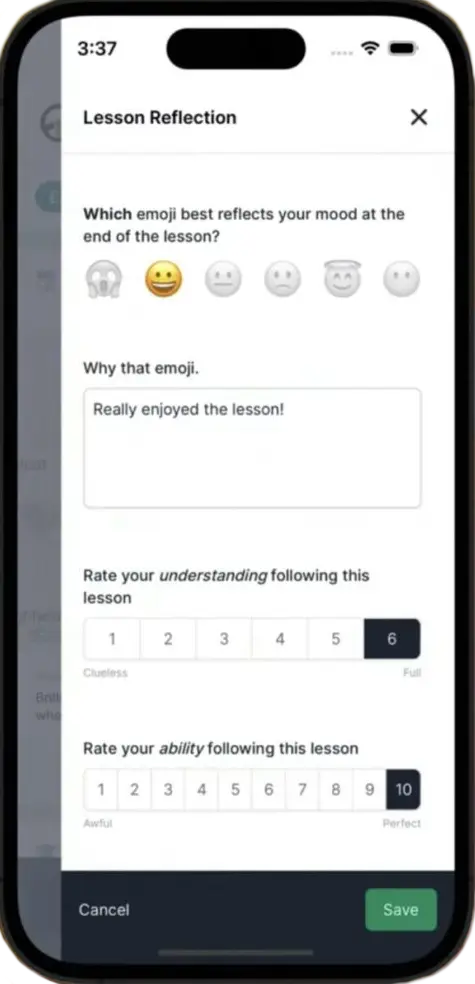
Following each of your lessons you should complete the reflective log section. This captures your thoughts about your lesson, in terms of what went well, or what you think you might need a bit more work on. This helps to plan your goals for next lesson.

Resources

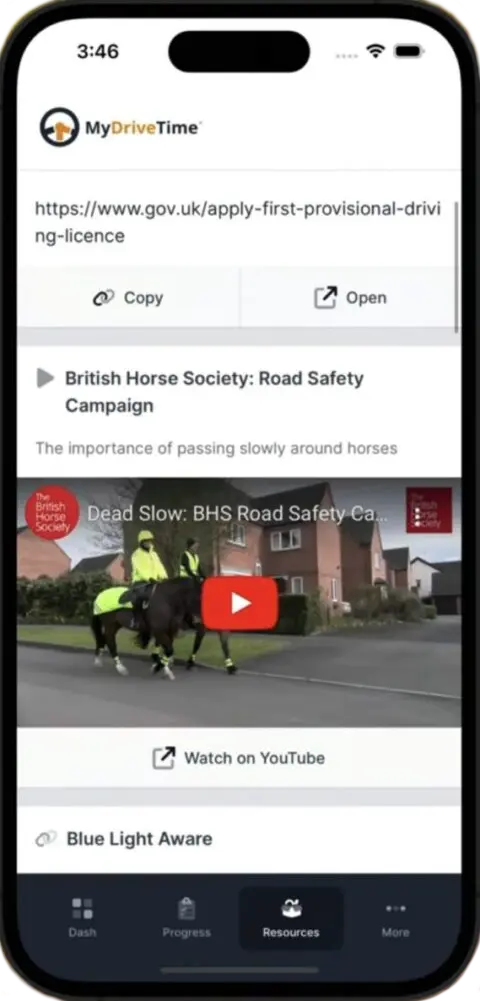
Here I’ve put together a comprehensive list of useful resources, just tap on open to be taken to each of the resources.

Resources
In the unlikely event you have any issues with your MyDriveTime App please let me know as soon as possible and we can work to resolve it. Depending on the issue I may need to contact the app developers, however, any bugs in the system are usually dealt with swiftly minimising any inconvenience for you.
BOOK YOUR LESSONS TODAY
YOUR JOURNEY STARTS HERE

You can get in touch by e-mail at info@johnnyauld.co.uk alternatively call or text 07796 090 181